
Download HandySnap – Fast, Lightweight Screen Capture Tool for Windows
HandySnap is a lightweight and efficient screen capture software designed for Windows users who need quick, hassle-free screenshot functionality. With a minimal footprint and intuitive interface, it’s ideal for professionals, students, and casual users looking to capture screen images in an instant. Despite its age, HandySnap remains a reliable tool, especially popular in Indonesia, Saudi Arabia, and Vietnam. Available as a free trial, it supports older Windows versions like Windows ME and earlier, making it a great option for legacy systems. Whether you're documenting bugs, sharing tutorials, or saving visual references, HandySnap delivers fast results without consuming system resources.
Lightweight Performance & Instant Capture Features
One of the standout qualities of HandySnap is its lightweight design, which sets it apart from many modern screen capture tools. Unlike bloated applications that slow down your system, HandySnap uses minimal RAM and CPU, making it perfect for older or low-spec computers. The software is designed for speed and simplicity—once installed, you can capture any screen area with a single click or keyboard shortcut. The instant capture feature allows users to take screenshots without navigating through complex menus, ensuring a smooth workflow.
HandySnap supports various capture modes, including full-screen, window-specific, and custom region selection. Each capture is saved automatically with a default filename, and users can quickly access the saved image in the designated folder. The tool also offers basic editing options like cropping and adding simple annotations, though it doesn’t include advanced features like video recording or image effects. Despite its simplicity, this focus on core functionality makes it highly efficient for users who prioritize speed over extras.
Another notable feature is its low system impact. With a file size significantly smaller than average software in the Design & Photography category, HandySnap doesn’t clutter your hard drive or slow down startup times. It’s particularly useful for users running outdated systems like Windows ME or older versions of Windows XP, where newer tools might not even install. The software’s minimalistic approach ensures it runs reliably without crashes or compatibility issues, making it a dependable choice for those who value stability and performance.
Easy Installation & User-Friendly Interface
Installing HandySnap is a straightforward process that takes just a few seconds. Since it’s designed for older Windows systems, the setup wizard is simple and doesn’t require advanced technical knowledge. You can download the installer from trusted sources, run it, and follow the on-screen prompts. There are no additional toolbars, adware, or bundled software—something that’s increasingly rare in today’s download landscape.
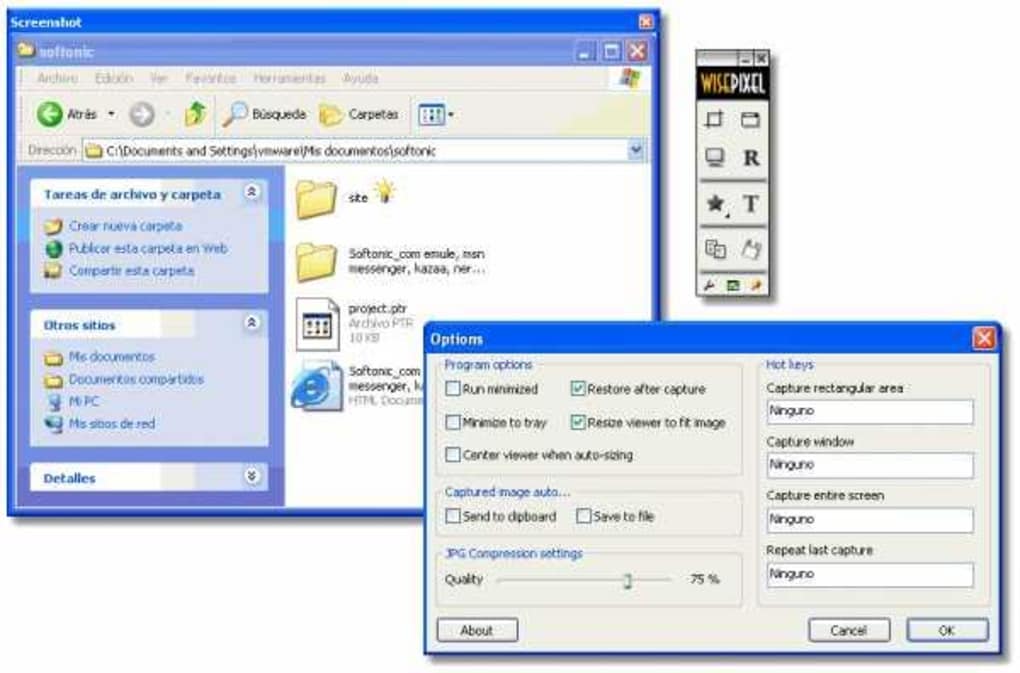
Once installed, the interface is clean and uncluttered. The main window displays a single button labeled “Capture,” which initiates the screenshot process. A small preview window appears during capture, allowing you to confirm the selected area before saving. The software supports customizable keyboard shortcuts, enabling users to trigger captures with a single key combination—ideal for frequent users who want to minimize mouse movement.
After capturing, the image is automatically saved in a default folder, and users can easily open it with any standard image viewer. For those who want to rename or move files, the software provides a quick access option to the saved location. While it lacks a built-in image editor with advanced tools, the simplicity of the workflow ensures that users aren’t overwhelmed. The lack of complex settings also means there’s little room for configuration errors, making it accessible even for beginners.
Compatibility & System Requirements
HandySnap is specifically designed for older Windows operating systems, including Windows ME, Windows 98, and earlier versions. This makes it a unique option in today’s market, where most software targets modern platforms like Windows 10 or 11. However, its compatibility with legacy systems is one of its greatest strengths, especially for users maintaining older hardware or running specialized software that doesn’t support newer OS versions.
Despite being last updated in 2008, the software remains functional on modern Windows systems through compatibility mode. Users can run it on Windows 7, 8, and even Windows 10 by right-clicking the executable, selecting “Properties,” and enabling compatibility mode for Windows XP (Service Pack 3). This workaround ensures that even current users can benefit from its lightweight performance.
It’s important to note that HandySnap is only available for Windows and does not support Mac, Android, or iOS. The software is also limited to English, which may be a barrier for non-English speakers. However, for users in regions like Indonesia, Saudi Arabia, and Vietnam—where it’s particularly popular—the English interface is generally not an issue due to widespread English literacy in tech communities.
- Feature List:
- Instant screen capture with single-click or keyboard shortcut
- Support for full-screen, window, and custom region captures
- Automatic saving with default filename
- Minimal system resource usage
- Compatibility with Windows ME and older versions
- Lightweight installation (under 1MB)
- Pros:
- Extremely lightweight and fast
- Perfect for older or low-spec systems
- Simple, intuitive interface
- Free trial version available
- Runs on legacy Windows versions
- Cons:
- Outdated software (last updated in 2008)
- No support for modern OS like Windows 11
- Limited editing tools
- Only available for Windows
- English-only interface
FAQ – Frequently Asked Questions
Is HandySnap free to download?
Yes, HandySnap is available as a free trial version. You can download and use it without any cost, though it may have limited functionality compared to paid alternatives.
Can I use HandySnap on Windows 10 or Windows 11?
While HandySnap was designed for older Windows versions, it can run on Windows 10 and 11 using compatibility mode. Right-click the executable, go to Properties, and select “Run this program in compatibility mode for Windows XP (Service Pack 3).”
Does HandySnap support Mac or mobile devices?
No, HandySnap is only available for Windows operating systems. It does not support Mac, Android, or iOS devices.
What are the system requirements for HandySnap?
HandySnap requires Windows ME or earlier versions. It runs on systems with minimal RAM and storage, making it ideal for older hardware. The file size is under 1MB, ensuring it doesn’t consume much space.
Can I edit screenshots taken with HandySnap?
HandySnap offers basic editing functions like cropping and simple annotations. However, it does not include advanced tools such as filters, effects, or video recording.
Conclusion: A Reliable Tool for Legacy Systems
Despite its age and lack of modern features, HandySnap remains a solid choice for users who need a fast, lightweight screen capture tool. Its minimal design, instant capture, and compatibility with older Windows systems make it a hidden gem for those working with legacy hardware or outdated software environments. While it may not offer the advanced editing or cloud integration found in modern tools like Snagit or LightShot, its simplicity and low resource usage are unmatched.
If you're using an older PC, managing a retro computing setup, or simply need a no-frills screenshot tool, HandySnap is worth downloading. It’s secure, free to try, and delivers reliable performance without the bloat. For users in Indonesia, Saudi Arabia, and Vietnam—where it’s especially popular—this tool continues to serve a niche but important role.
Ready to capture your screen in seconds? Download HandySnap today and experience fast, secure, and lightweight screenshot functionality.







